

To fix broken links, crawl your site to list every link that returns an error, then fix each one at the source: update internal links to the right live page, replace or remove dead outbound links, and add a 301 redirect only where a missing page still gets visits or links from other sites. Redirects are the fallback; editing the link is the fix.
A broken link is any link whose target returns an error, usually a 404 (not found), sometimes a 410 (gone), a 5xx server error, a redirect that ends in an error, or a page that loads but says “not found”. This guide covers how to find them, the difference between a 404 and a soft 404, and the order we fix them in on client sites.
Why broken links matter
- Visitors hit a dead end. Someone clicks “Book a cleaning” and lands on an error page. Many leave.
- Link value is wasted. An internal link to a missing page passes nothing. A backlink from another site to a missing page passes nothing either, which is often the most expensive loss.
- Crawling is wasted. Google keeps checking URLs it found linked, even after they have gone.
- It looks neglected. Dead outbound links in a guide tell readers (and reviewers) the page hasn’t been maintained.
A single broken link won’t hurt rankings. Broken links on your important pages, or broken URLs that used to rank, do cost you.
404, 410 and soft 404: what’s the difference
| Status | What the server says | What Google does |
|---|---|---|
| 404 Not Found | This URL doesn’t exist | Drops it from the index if it was indexed; crawls it less over time |
| 410 Gone | This URL existed and was removed on purpose | Google treats it the same way as a 404 |
| Soft 404 | Returns 200 OK, but the page is empty or says “not found” | Search Console flags it as a soft 404; it wastes crawling and can get junk indexed |
| 5xx | The server failed | Google slows crawling; pages that keep erroring are eventually dropped |
Google’s HTTP status code documentation is the reference for this. The short version: a real 404 for a page that is really gone is correct and harmless. A soft 404 is a configuration problem, because the server says “fine” when it means “missing”. More detail on each code is in our HTTP status codes entry.
Common soft 404 causes we find: a theme that shows a friendly “page not found” message but returns 200, out-of-stock product pages emptied of content, search results pages with no results, and redirecting every missing URL to the homepage. Google often treats those homepage redirects as soft 404s too, because the homepage isn’t a replacement for the missing page.
Step 1: Find broken internal links
Crawl the whole site. A crawler follows every link the way a search engine does and records the status of each target, along with the page the link sits on. That second part matters: you fix a broken link on the page that contains it, not on the missing page.
RankThat’s Site Audit lists broken internal links and broken outbound links, each with the pages they appear on, along with internal links that point at redirects and pages that return 4xx errors.
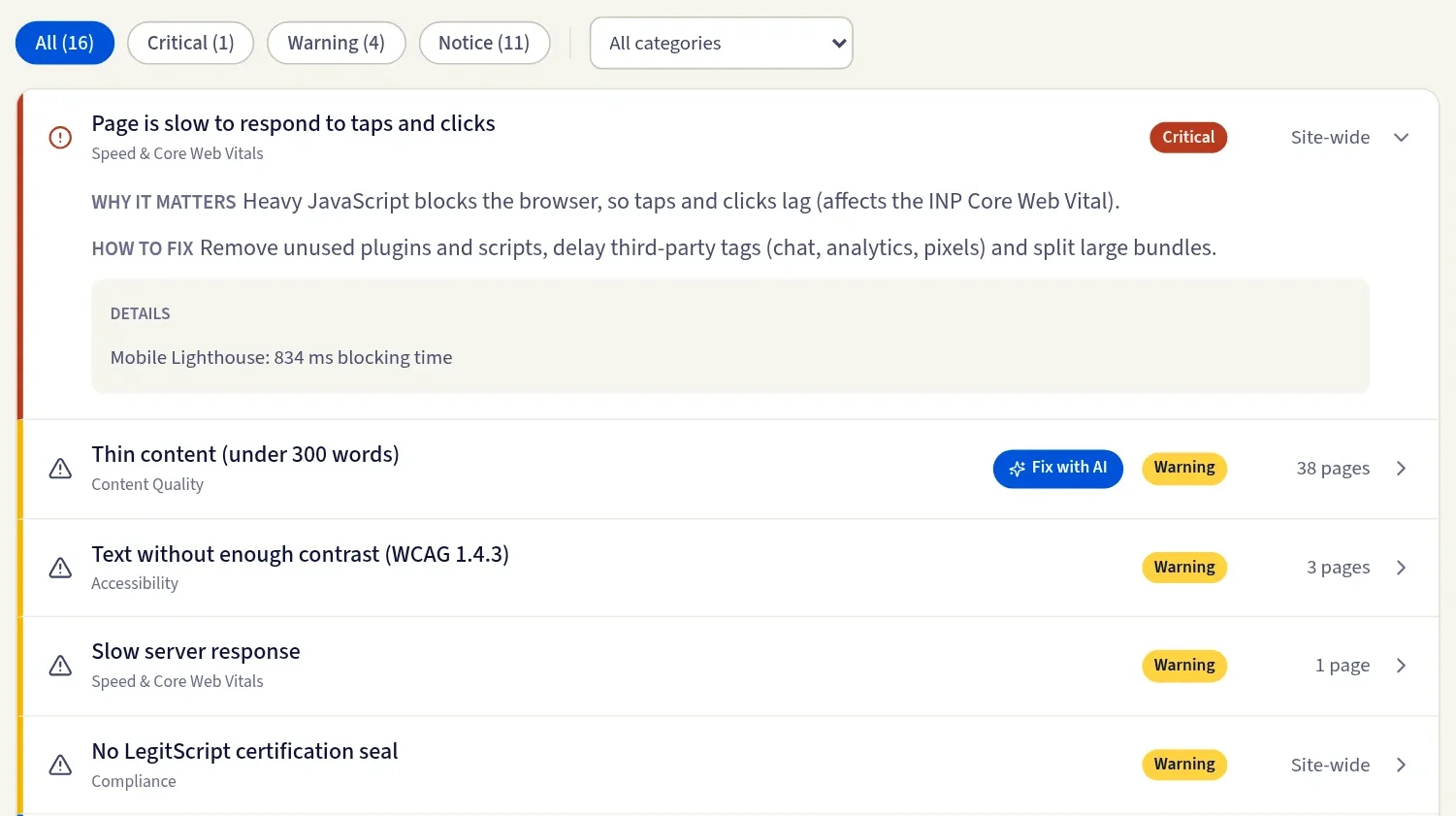 The issues list in RankThat’s Site Audit. Broken internal and outbound links each say why they matter and how to fix them.
Check these places too, because crawlers report them separately:
- Navigation menus and footers (one broken menu link is broken on every page).
- Images and PDFs linked from posts.
- Links inside reusable blocks, widgets and page builder templates.
- Canonical tags and XML sitemap entries pointing at missing URLs.
Step 2: Find broken URLs other sites link to
These are the 404s with the most value, because someone else’s link is pointing at nothing.
- In Search Console, open Indexing > Pages and look at “Not found (404)”. Sort by what you recognize: old service pages and popular posts first.
- Check the Search Console Links report for your top linked pages, and see whether any of them now return 404.
- A backlink tool shows external links to missing pages directly. RankThat’s Backlinks page includes broken links in your backlink profile.
The same idea, aimed at other people’s sites, is the outreach tactic called broken link building.
Step 3: Decide what to do with each one
Use this order. It fixes the cause first and keeps redirects for the cases that need them.
| Situation | Fix |
|---|---|
| Your own link has a typo or points at an old URL, and the right page exists | Update the link to the live, final URL |
| The page moved or was replaced by a close equivalent | 301 redirect the old URL to the new page, then update your own links too |
| The page is gone, but it has backlinks or traffic and a relevant page exists | 301 redirect to the closest relevant page (not the homepage) |
| The page is gone and nothing relevant replaces it | Leave it as a 404 or 410, and remove your own links to it |
| An outbound link to another site is dead | Replace it with a working source, or remove it |
| A missing URL returns 200 (soft 404) | Make the server return a real 404, or redirect if there is a real replacement |
Two rules that save trouble later:
- Don’t redirect everything to the homepage. It confuses visitors and Google often treats it as a soft 404 anyway.
- Don’t fix internal links with redirects alone. Every redirect is an extra hop. Update the link so it points straight at the final page. If you already have hops stacking up, see our guide on fixing redirect chains.
Worked example
Brightside Dental, a fictional practice in Columbus, Ohio, renamed its “/invisalign” page to “/clear-aligners” during a redesign. The crawl found:
- 31 internal links to
/invisalignin old blog posts and the footer. - Two local news sites linking to
/invisalign. - A dead outbound link to a dental association page that had moved.
The fix took about an hour: a 301 redirect from /invisalign to /clear-aligners (for the news sites and anyone with a bookmark), the 31 internal links updated to /clear-aligners, the footer fixed once, and the association link replaced with its new address.
Step 4: Fix them
On WordPress
- Internal links in content: edit the post, or use a search-and-replace plugin for the same old URL across many posts. Take a database backup first.
- Redirects: use one redirect manager (Rank Math, Yoast Premium or a dedicated plugin), not several.
- Soft 404s: check that your theme’s 404 template returns a 404 status. Test a made-up URL with the free Redirect Checker, which shows the status code.
RankThat’s free WordPress Bridge plugin can apply three of these as fixes you review first: redirects for broken pages, updating links that point at redirects, and fixing broken outbound links (pointing each one at another address or an archived copy, or removing the link while keeping its text). Every change can be undone in one click, and RankThat re-checks the live page afterwards.
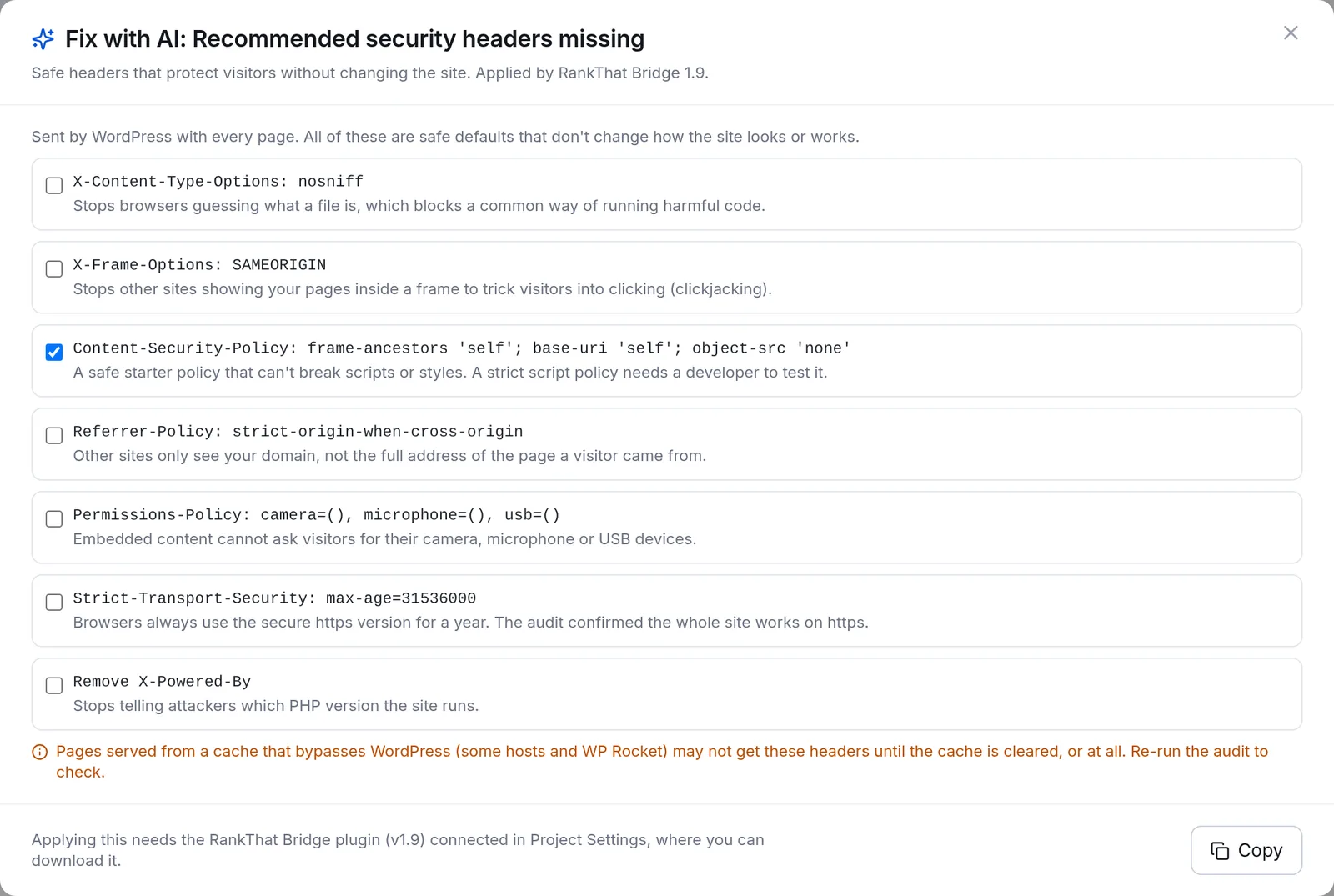 An issue opened in RankThat’s Site Audit with its drafted fix. Nothing changes on the site until you approve it.
On other sites
Most platforms (Webflow, Squarespace, Shopify, Wix) have a built-in redirects screen; use it for 301s and edit links in the page editor. If your domain uses Cloudflare, RankThat’s Cloudflare Worker can apply 301 redirects and update links pointing at old addresses as pages are served. On Shopify, the RankThat Shopify app adds redirects through Shopify itself, and its 404 monitor lists the broken addresses visitors actually hit.
Step 5: Stop new ones appearing
- Redirect when you rename. Whenever a URL changes, add the redirect at the same time and update the menu.
- Check before deleting. Before removing a page, check its backlinks and internal links.
- Use descriptive anchor text so you can tell what a link was meant to point at when it breaks.
- Audit regularly. A monthly crawl on small sites (weekly on big ones) catches new broken links before visitors do.
- Watch outbound links on old posts. Other sites move pages all the time. Guides with lots of sources break most often.
Also look for the opposite problem: pages with no links at all. An orphan page isn’t broken, but nobody, including Google, can find it by following links.
FAQ
Do broken links hurt SEO?
A few broken links on unimportant pages have little effect. Broken links on key pages, in menus, or to URLs that have backlinks waste link value and send visitors away, so fix those first.
Should I redirect every 404?
No. Redirect only when there is a relevant replacement and the old URL has links or traffic. A page that is gone with no replacement should return 404 or 410.
What is a soft 404?
A URL that returns 200 OK but shows an error or empty page. Search Console reports these. Make missing pages return a real 404 status, or redirect them to a true equivalent.
Is 410 better than 404 for removed pages?
Google treats them the same. Use 410 if you want to say clearly that a page was removed on purpose; otherwise 404 is fine.
How often should I check for broken links?
Monthly for most small business sites, and after any redesign, migration or URL change.