

A content gap is a search your competitors show up for and you don’t. To find them, compare the keywords your site ranks for with the keywords two to four real competitors rank for, then group what is missing into topics and decide which ones deserve a page.
There are two kinds of gap, and you need both. A keyword gap is a specific search (“tankless water heater cost austin”) where a competitor ranks and you don’t. A topic gap is a whole subject a competitor covers that you have never written about. Keyword gaps tell you what to add to existing pages. Topic gaps tell you what new pages to build.
This guide follows the process we use on client sites. The example is Coastline Plumbing, a fictional plumber in Austin, Texas, with a 60-page WordPress site and three local competitors we’ll call A, B and C.
Step 1: Pick the right competitors
The most common mistake is comparing against the wrong sites. Your business competitors are not always your search competitors.
Coastline’s owner named two rival plumbers he loses jobs to, but the sites that kept appearing for his 20 most important keywords were different: a regional plumbing company, a directory and a national water heater brand’s blog. Use these rules:
- Search your 10 to 20 most important keywords in a private window, set to the right city, and note which domains appear on page one again and again.
- Keep competitors of a similar type. A local plumber should compare against local and regional plumbers. Comparing against Home Depot or a national directory produces thousands of “gaps” you will never close and should not try to.
- Use two to four competitors. One is not enough to see a pattern. More than four buries the useful gaps under noise.
- Include one site that is a little ahead of you, not only the market leader. Its content shows what is realistic to add next.
Step 2: Run a keyword gap
A keyword gap tool takes your domain and your competitors’ domains, pulls the keywords each one ranks for from a keyword database, and lines them up side by side.
In RankThat, this lives in the Domain Explorer under the Keyword Gap tab. You enter your domain and up to four competitors, and it sorts every keyword into one of six groups:
| Group | What it means | What to do with it |
|---|---|---|
| Missing | Every competitor ranks, you don’t | Your clearest gaps. Usually a page you need |
| Untapped | At least one competitor ranks, you don’t | Wider list; check each for fit |
| Weak | You rank lower than every competitor | An existing page that needs work, not a new page |
| Strong | You rank higher than every competitor | Protect these; no action needed |
| Unique | Only you rank | Your advantage; note it for reporting |
| Shared | Everyone ranks | Useful context, rarely a gap |
Start with Missing, then work through Untapped and Weak. You can add ticked keywords to a keyword list or download the set as a CSV. Other tools use similar labels; the point is to separate “we have no page for this” from “we have a page, but it loses”.
The free version: Search Console
You can find partial gaps without any paid tool. In Google Search Console, open Performance, then Search results, turn on Average position and filter for queries where your position is greater than 20.
These are searches where Google already shows your site somewhere, but far down. Very often the reason is that no page on your site really answers the query. A plumber ranking 38th for “how long does a water heater last” usually has a service page that mentions water heaters and no page that answers the question.
Search Console only shows searches you already appear for, so it misses topics you have never touched. That is why you still need a competitor comparison.
Step 3: Clean the list
A raw keyword gap for a small business can return several thousand rows. Most of them are not worth a page. Remove these first:
- Competitor brand names. You are not going to rank for a rival’s name, and you should not try.
- Services you don’t offer. Competitor A does septic work. Coastline Plumbing doesn’t, so every septic keyword goes.
- Places you don’t serve. If a competitor ranks for suburbs 40 miles away, those keywords are not gaps for you.
- Keywords with near-zero volume and no clear value. A search with 10 a month can still matter if it signals a $5,000 job (“slab leak repair cost”). A search with 10 a month for a definition nobody hires for does not.
- Junk matches. Keyword databases sometimes credit a site with rankings that come from a stray page, an old PDF or a forum thread.
Check keyword difficulty as you go. A gap where every ranking page belongs to a large national brand is a long-term project, not a quick win.
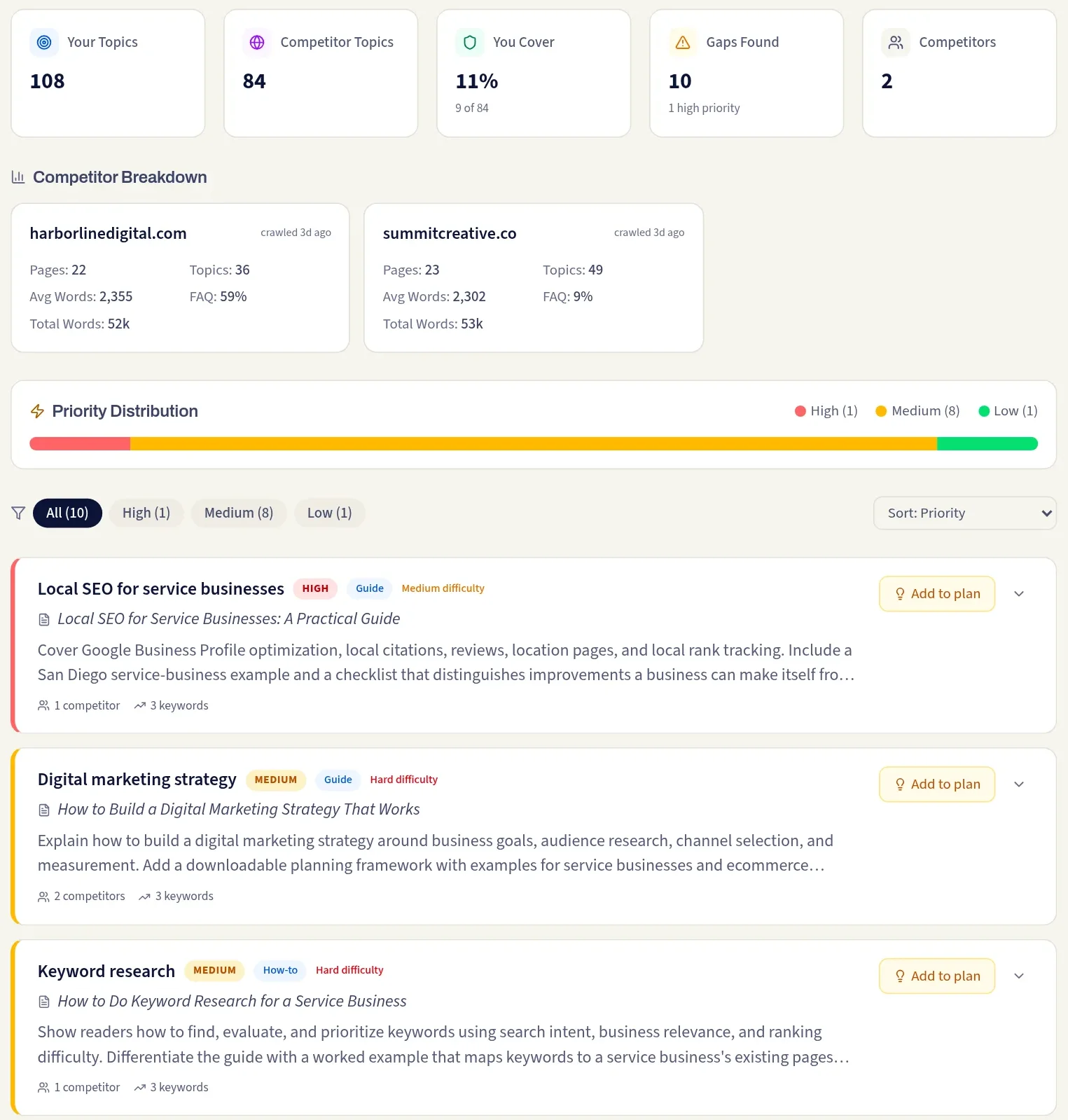 Content Gaps in RankThat. Topics competitors cover that the site doesn’t, each with a suggested article and its priority.
Step 4: Group keywords into topics
A gap list is a list of searches. You do not want one page per search. Group keywords that a single page could answer together, because Google ranks one good page for many related searches.
For Coastline Plumbing, the cleaned list had around 140 keywords. Grouped, they became 11 topics. Three examples:
| Topic | Example keywords in the group | Covered by | Coastline has |
|---|---|---|---|
| Tankless water heaters | tankless water heater installation austin, tankless vs tank water heater, tankless water heater cost | A, B, C | Nothing |
| Water pressure problems | low water pressure in house, water pressure regulator replacement | A, C | One line on the repairs page |
| Slab leaks | slab leak signs, slab leak repair cost, slab leak insurance | B, C | A thin service page (Weak) |
To group, ask: would one person searching both of these be happy with the same page? “Tankless water heater cost” and “tankless water heater installation austin” pass. “Tankless water heater cost” and “water heater repair near me” do not; one is research, the other is someone with a cold shower who wants a plumber today.
That question is really about search intent. Search each group’s main keyword and look at what ranks. If the top results are cost guides, the page you build is a cost guide. If they are service pages from local plumbers, it is a service page.
Step 5: Find topic gaps, not only keyword gaps
Keyword databases only know about searches with measurable volume. Some of the most useful gaps never show up in them. Look at competitors’ sites directly:
- Read their navigation and sitemap. A competitor’s XML sitemap (usually at /sitemap.xml or /sitemap_index.xml) lists every page they want indexed. Scan it for sections you don’t have: a cost guide hub, a financing page, a page for each neighborhood.
- Look at their best pages. Domain Explorer’s Top Pages tab, or any similar report, shows which pages bring a competitor the most traffic. Those pages are proven demand.
- Check “People also ask” for your main keywords. Each question is a sub-topic searchers expect to see covered.
- Ask the people who answer the phone. Two of the questions Coastline’s callers ask every week (“Do you charge to come out?” and “Can you replace a water heater the same day?”) had no answer anywhere on the site.
RankThat’s Content Gaps page does a version of this automatically. It compares your site’s topics with your tracked competitors’ and lists the topics they cover that you don’t. Each gap shows which competitors cover it, why it matters and suggested keywords, and you can sort by priority, easiest first, or most competitors. Create Topic turns a gap into a topic idea for your content plan.
Step 6: Decide: new page, better page or skip
Every topic on your list ends in one of three decisions.
- Build a new page when you have nothing on the topic and the intent is clear. Coastline’s tankless water heater page was the obvious first one: every competitor had it, Coastline installs them, and the jobs are valuable.
- Improve an existing page when you already rank, but weakly. These are often faster wins, because the page already has history with Google. Coastline’s 180-word slab leak page gained signs, the repair process, cost ranges and an insurance section.
- Skip it when it does not fit the business, the competition is out of reach, or covering it would create a second page competing with one you already have. Check for keyword cannibalization before you build: if an existing page already targets the topic, improve that page instead.
Record each decision in a keyword map so the next person knows which page owns which topic. Our keyword mapping entry explains the idea, and the keyword mapping template gives you a sheet to fill in.
Step 7: Prioritize the gaps
You will have more gaps than time. Score each one on three things:
- Business value: does it lead to the jobs or sales the business wants most?
- Effort: a new 1,500-word guide with photos takes longer than adding a section to a page you already have.
- Chance of ranking: how strong are the pages that rank now?
A simple order that works for most small sites: first the Weak keywords on pages that already earn money, then Missing topics tied to core services, then supporting informational topics that link to those service pages. The supporting pages are how you build topical authority: a cluster of pages that together cover a subject well. Our guide on how to build topical authority covers how to plan the cluster.
Step 8: Close the gap properly
Copying the competitor’s page is not closing a gap. If your page says the same thing as the three already ranking, Google has little reason to prefer it. Google’s guidance on creating helpful, reliable, people-first content asks whether content provides original information or analysis, and whether it adds value beyond what other pages already say.
For each gap, add something the competitors don’t have:
- First-hand detail. Coastline’s tankless page included the real install times their plumbers see in older Austin homes, and why many of those homes need a gas line upgrade first.
- Real numbers. Price ranges from your own invoices, explained, beat a vague “it depends”.
- Photos of your own work instead of stock images.
- Answers to the questions customers actually ask, from step 5.
This extra value is what people call information gain. Before writing, turn each topic into a brief: the target keywords, the intent, the questions to answer and what you will add. Our guide on how to write a content brief covers it step by step.
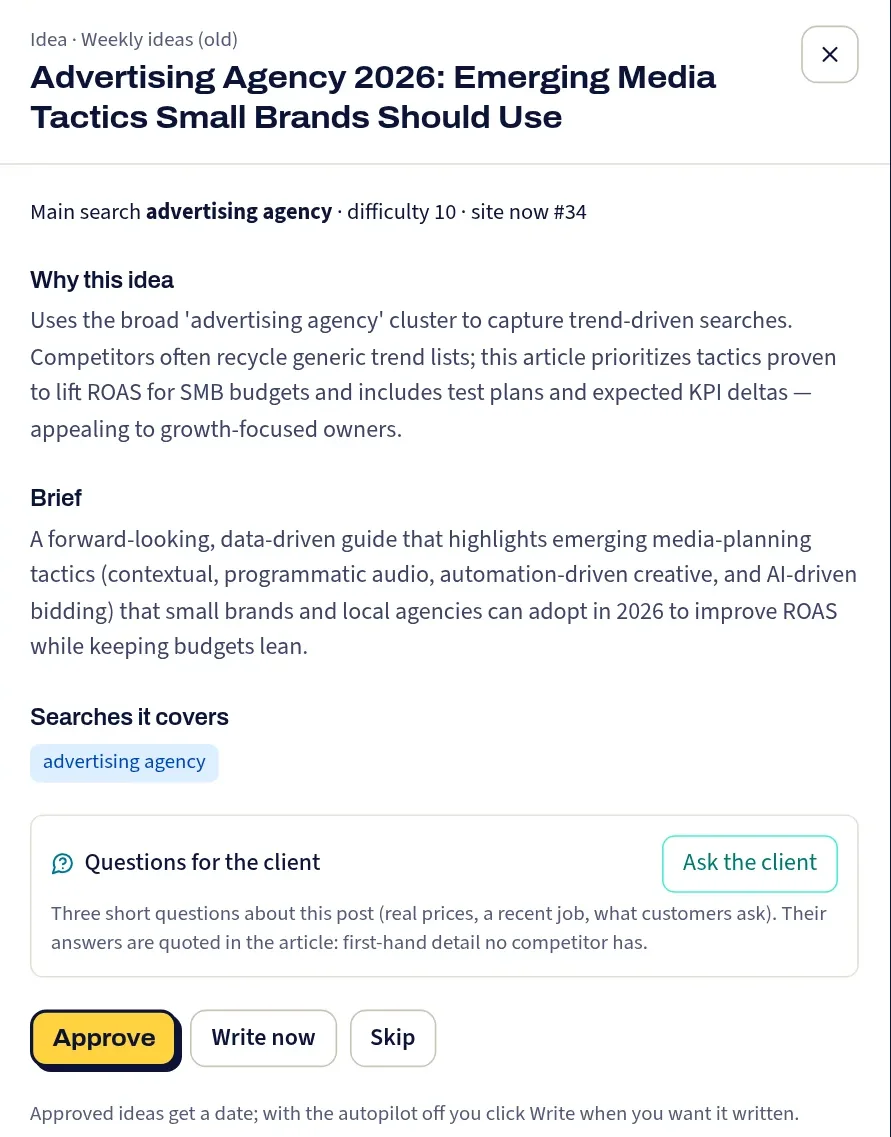 An idea in RankThat’s Content Plan. A gap added to the plan gets a brief before anyone starts writing.
Step 9: Re-check every quarter
Gaps move. Competitors publish new pages, and your new pages start to rank. Re-run the keyword gap every three months and compare:
- Keywords that moved from Missing or Weak into Shared or Strong show the work is landing.
- New Missing keywords show what competitors added since last time.
- Pages you built that still rank nowhere after three or four months need a second look: the intent may be wrong, or the page may not add enough.
Track the keywords from each closed gap in a rank tracker to see the change week by week. And look at the other end too: old pages that get no traffic may be better merged or removed. That is content pruning.
FAQ
What is the difference between a keyword gap and a content gap?
A keyword gap is a single search where competitors rank and you don’t. A content gap is usually a whole topic missing from your site. Keyword gap reports are the fastest way to find content gaps, because missing keywords tend to cluster around missing topics.
Should I create a page for every missing keyword?
No. Group keywords that share the same intent and answer them on one page. One good page usually ranks for dozens of related searches. A separate thin page per keyword tends to compete with your own pages and rank for none.
How long does it take to rank after closing a content gap?
It varies with competition and how established the site is. On most local sites we work on, a strong new page starts appearing for long-tail searches within a few weeks and settles over a few months. Improving a page that already ranks weakly is often faster.