

An SEO content brief is a one-to-two page document that tells a writer what a piece must cover to rank and to be useful: the keyword and intent, who it is for, the outline, the questions to answer, the facts only you can supply, and the links to include. A good brief saves a round of rewrites and stops articles that read well but never get found. The content brief glossary entry covers the term itself.
Below is the template we hand writers on client sites, ready to copy. Then how to fill in each part, and a filled example for Coastline Plumbing, a fictional plumbing company in Austin, Texas. For the thinking behind each section, read our guide on how to write a content brief first.
The template
Copy this into a doc. Everything in square brackets is for you to replace.
# Content brief: [working title]

## Basics
- Primary keyword: [one keyword]
- Secondary keywords and variants: [3 to 8]
- Target URL: [new or existing URL]
- Page type: [blog post / guide / service page / location page / product]
- Search intent: [informational / commercial / transactional / local]
- Target length: [range, based on what ranks]
- Writer: [name]   Reviewer: [name]   Due: [date]

## Audience and goal
- Who is searching: [one or two sentences]
- What they need to leave with: [the answer or decision]
- Next step we want them to take: [call / book / read the service page]

## What the top results do (and miss)
- Result 1: [URL]: [what it covers, what it misses]
- Result 2: [URL]: [...]
- Result 3: [URL]: [...]
- Our angle: [what this piece will add that they don't]

## Answer first
[The two sentences that answer the search, written out]

## Outline
- H2: [section]
  - Key points: [...]
- H2: [section]
  - H3: [sub-question]
- H2: FAQ

## Questions to answer
- [People also ask question]
- [Question from sales calls or the inbox]

## Entities and terms to cover
[Products, brands, standards, places, tools a complete answer would name]

## Facts, examples and proof only we have
- [Prices, timelines, a real job, a photo, a quote from the owner]
- Expert to review: [name and qualification]

## Links
- Internal links to include: [URL: suggested anchor]
- Pages that should link to this one: [URL]
- Sources to cite: [official or primary sources]

## Search appearance
- Title tag: [under 60 characters]
- Meta description: [under 155 characters]
- Schema: [Article / Service / Product]
- Images: [what to show, alt text notes]

## Tone and don'ts
- [Voice notes, words to avoid, claims we can't make]
How to fill in each part
| Section | What good looks like | Where to get it |
|---|---|---|
| Basics | One primary keyword, mapped to one URL | Your keyword mapping template |
| Search intent | Matches the format of the pages Google shows now. See search intent | Search the keyword and look at the top ten |
| Audience and goal | A real person with a real question, plus the action you want | Sales calls, the inbox, the front desk |
| Top results | Two lines per result on what it covers and misses | Read the top three properly, don’t skim |
| Our angle | One sentence on what this piece adds | Your experience, data, prices, photos |
| Answer first | Two sentences a searcher could stop after | Write it before the outline |
| Outline | H2s that match sub-questions, in the order a reader needs them | Top results, People also ask, autocomplete |
| Entities and terms | The things a complete answer would name | The top results, product specs, semantic SEO |
| Facts only we have | At least two specifics a competitor cannot copy | The business owner, job records, price list |
| Links | 3 to 5 internal links out, and 1 to 2 pages that will link in | Your site map, internal links |
| Search appearance | Title and description drafted, not left to the writer | SERP preview tool |
| Tone and don’ts | What the brand never says, and claims needing proof | Brand voice notes, legal or compliance |
The two sections writers skip
Our angle and facts only we have are what make a piece worth ranking. Google’s guidance on helpful content asks whether a page provides original information or analysis, and whether it adds substantial value compared with other pages in the results (Search Central: creating helpful content). In SEO shorthand this is information gain. A brief without these sections tends to produce a tidy summary of the top three results, and there is no reason for Google or an AI assistant to prefer a fourth copy.
Filled example: Coastline Plumbing
This is a brief for a new guide that came out of Coastline’s keyword map.
# Content brief: Tankless vs tank water heaters: which is right for an Austin home?

## Basics
- Primary keyword: tankless vs tank water heater
- Secondary keywords: tankless water heater pros and cons, tankless vs tank cost,
  how long do tankless water heaters last, is tankless worth it
- Target URL: /blog/tankless-vs-tank-water-heater/ (new)
- Page type: guide
- Search intent: informational, with a commercial next step
- Target length: 1,500 to 2,000 words (top results run 1,200 to 2,500)
- Writer: Sam   Reviewer: Coastline's master plumber   Due: Dec 5

## Audience and goal
- Who is searching: Austin homeowners whose water heater is 10+ years old or just failed,
  comparing options before calling for quotes.
- What they need to leave with: which type suits their house and budget, and what an
  install involves.
- Next step: request a replacement quote (link to /water-heater-replacement/).

## What the top results do (and miss)
- Manufacturer guide: clear on efficiency, silent on install costs and gas line upgrades.
- Home improvement site: good comparison table, generic national prices, no local permits.
- Big-box retailer: product-led, no advice on sizing for a family.
- Our angle: what installs really involve in Austin homes (gas line sizing, venting,
  permits, hard water), with our own price ranges.

## Answer first
A tank water heater costs less to install and suits most homes with modest hot water use.
A tankless unit costs more up front but lasts longer and never runs out of hot water,
which makes sense for larger families or when the old tank needs replacing anyway.

## Outline
- H2: The short answer
- H2: How each type works
- H2: Cost: install and running costs (our price ranges)
- H2: How long each lasts
- H2: Which is better for your home
  - H3: Family size and hot water demand
  - H3: Gas vs electric
  - H3: Hard water and maintenance in Austin
- H2: What an install involves (permit, gas line, venting, timeline)
- H2: FAQ

## Questions to answer
- Is a tankless water heater worth it?
- Can a tankless water heater run out of hot water?
- Do tankless water heaters need maintenance?
- (From calls) Can you replace my tank with tankless in one day?

## Entities and terms to cover
Gallons per minute (GPM), first-hour rating, Energy Star, condensing vs non-condensing
units, descaling, City of Austin plumbing permit, gas line sizing, venting.

## Facts, examples and proof only we have
- Coastline's installed price range for each type (owner to supply).
- How long a typical swap takes on our jobs.
- One real job: a family of five in Round Rock, why we recommended tankless, photos.
- Expert to review: Coastline's master plumber (license number on the About page).

## Links
- Internal: /water-heater-replacement/ ("water heater replacement"),
  /water-heater-repair/ ("repair before you replace")
- Link in from: /water-heater-replacement/ and the homepage services block
- Cite: Energy Star or Department of Energy page on water heater types

## Search appearance
- Title: Tankless vs Tank Water Heater: Costs and Pros (Austin)
- Meta: Tankless or tank? Compare install costs, lifespan and running costs for
  Austin homes, with real price ranges from local plumbers.
- Schema: Article, with author
- Images: our own install photos; alt text describes each unit

## Tone and don'ts
- Plain and honest; say where a tank is the better choice.
- Don't quote energy savings figures without a source.
- No "best water heater" claims about brands.
Notice the brief leaves the prices for the owner to supply rather than letting the writer guess. That is deliberate: invented numbers are the fastest way to lose a reader’s trust.
Building briefs faster
Filling the template by hand takes about an hour once you have the research. RankThat’s content tools draft a brief from a keyword: search intent, content type and estimated word count, target keywords, an article structure with key points per section, FAQ questions, image recommendations, tone guidance, plus the competitor articles and reference sources it found. You edit it, then add the parts only you know.
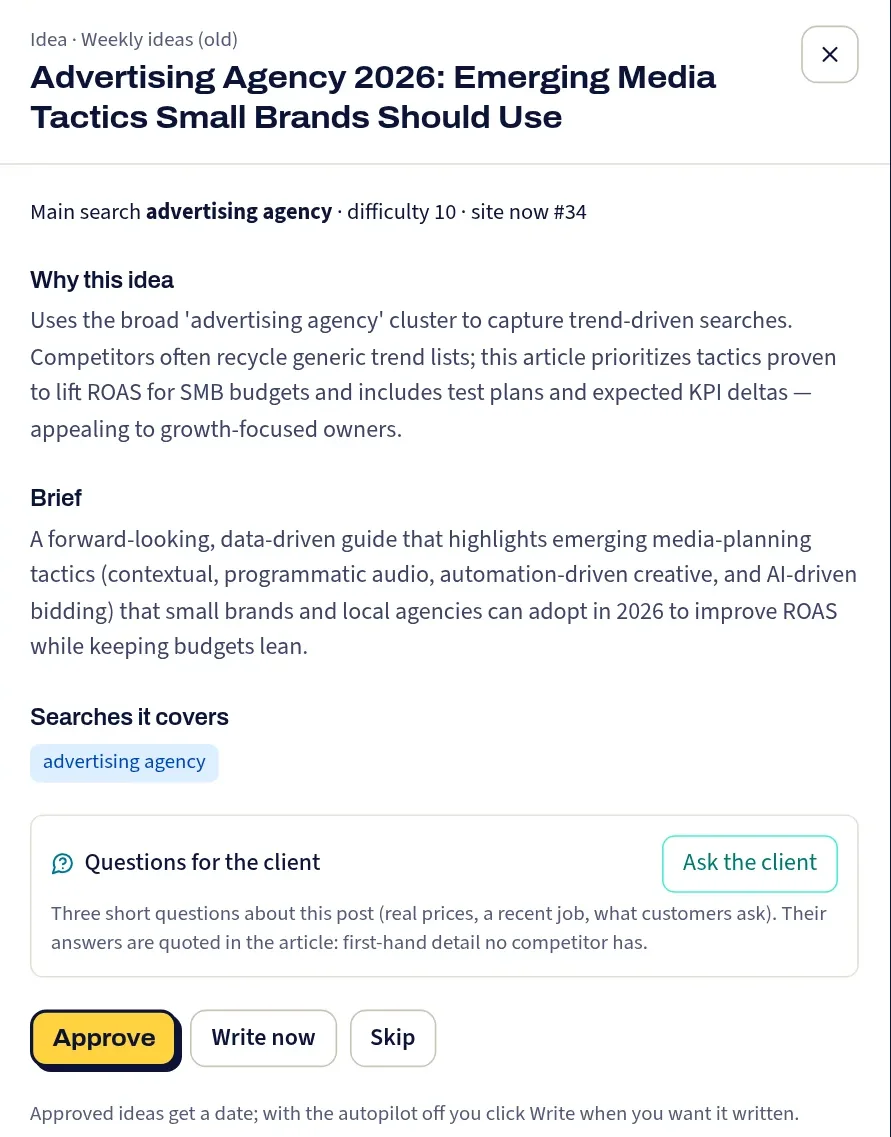 An idea in RankThat’s Content Plan, with why it was picked and its brief. The facts only you have still come from you.
When the piece is live and starts to age, the same brief is the starting point for a content refresh.
FAQ
How long should a content brief be?
One to two pages. Long enough to cover intent, outline, questions, facts and links. If it runs to five pages, the writer stops reading it.
Who should write the brief?
The person who did the keyword research, ideally an SEO who knows the business. The writer can draft it, but someone who knows the customers should review the angle and the facts.
Should a brief set an exact word count?
Give a range based on what ranks, and say it is a guide. Covering the topic well matters more than hitting a number.
Do I need a brief for every blog post?
For anything you want to rank, yes. A short brief for a short post is fine. It is the habit of deciding the keyword, intent and angle before writing that matters.