

On-page SEO is everything on the page itself that helps it rank for the search you want: the title, the headings, the words, the links, the images and the markup. Run this checklist on every page before it goes live, and on any page that has started to slip.
It is ordered the way we review a page on a client site: first whether the page is the right page for the search, then what appears in the results, then the content, then the details. Our example is the water heater repair page for Coastline Plumbing, a fictional plumbing company in Austin, Texas.
Before you write: the right page for the right search
| Check | Why it matters | Check it with |
|---|---|---|
| 1. The page targets one main topic and keyword | Pages that try to rank for everything rank for nothing | Your keyword list |
| 2. The format matches search intent | If Google shows service pages for “water heater repair austin”, a blog post will struggle | Search the keyword and look at the top results |
| 3. No other page on the site targets the same keyword | Two pages competing split signals. See keyword cannibalization | site:yoursite.com water heater and Search Console › Performance › Pages |
| 4. You know the related questions searchers ask | Covering them is what makes the page complete | “People also ask”, Google autocomplete, your call log |
Coastline had a “Water Heaters” blog post and a “Water Heater Repair” service page both ranking around position 14. We merged the useful parts of the post into the service page and redirected the post. That is the kind of decision this first section is for.
What shows in the search results
| Check | Why it matters | Check it with |
|---|---|---|
| 5. Unique title tag with the main keyword near the start | The title is the biggest on-page signal and the headline in the results | Meta tag checker |
| 6. Title fits on screen, about 50 to 60 characters | Longer titles get cut off; Google may rewrite titles it finds unhelpful | SERP preview |
| 7. Title includes the place for local pages | “Water Heater Repair in Austin, TX | Coastline Plumbing” matches how people search | Meta tag checker |
| 8. Unique meta description that sells the click | Not a ranking factor, but a better description earns more clicks | SERP preview |
| 9. Short, readable URL with the topic in it | /water-heater-repair/ is clearer than /services/page-12/ |
Address bar |
10. Page is indexable: no noindex, correct canonical |
A great page that is not indexed does nothing | URL Inspection in Search Console |
Google explains how it builds the title shown in results, and why it sometimes changes yours, in Search Central’s title link documentation.
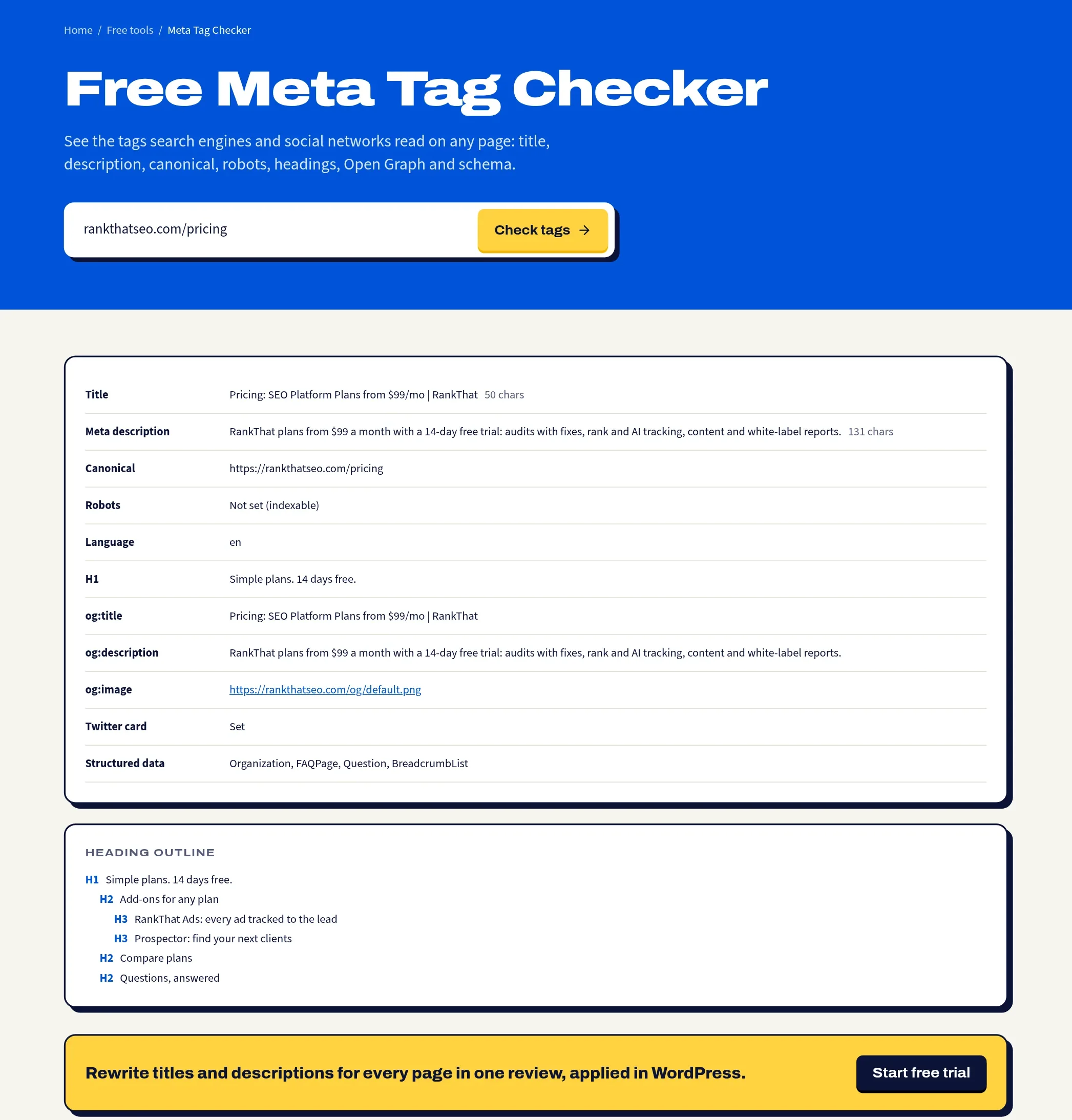 RankThat’s free Meta Tag Checker: everything search engines and social networks read on one page, with lengths.
Headings and structure
| Check | Why it matters | Check it with |
|---|---|---|
| 11. One H1 that says what the page is | Confirms the topic to readers and crawlers | View source, or a browser extension that lists headings |
| 12. H2s and H3s in a logical outline | Header tags let readers scan and let AI tools lift sections cleanly | Read only the headings: do they tell the story? |
| 13. Some headings match real questions | “How much does water heater repair cost in Austin?” matches the search word for word | “People also ask” |
| 14. The answer comes right after its heading | Searchers and AI answers both want the point first | Read the first two sentences under each heading |
The content
| Check | Why it matters | Check it with |
|---|---|---|
| 15. The first two sentences answer the main search | People decide in seconds whether to stay | Read it as a customer |
| 16. It covers the subtopics and related entities | Tank vs tankless, brands serviced, typical cost, warranty, how fast you arrive. This is semantic SEO | Compare with the top three results |
| 17. It says things only you can say | Your prices, your service area, what you see on real jobs. Generic copy is easy to replace | Ask: could a competitor paste this onto their site? |
| 18. It shows who is behind it | Names, licenses, years in business, photos of real work support trust | Read the page as a skeptical first-time visitor |
| 19. It is easy to read on a phone | Short paragraphs, lists, tables for comparisons | Open it on your phone |
| 20. It has a clear next step | A call button, a booking link or a form. Rankings are only worth the calls they bring | Look at the page above the fold on mobile |
| 21. Facts and prices are current | Outdated details cost trust and can be quoted wrongly by AI tools | Last-updated date, your price list |
Keyword density is not on this list. Use the main phrase naturally in the title, the H1 and early in the text, then write for the reader. Repeating it fifteen times does not help.
Links
| Check | Why it matters | Check it with |
|---|---|---|
| 22. At least two or three relevant internal links point to the page | Tells Google the page matters and passes authority to it | Site crawl, Search Console › Links |
| 23. The page links on to related pages | Helps visitors and crawlers find the next step (water heater repair links to water heater replacement) | Read the page |
| 24. Anchor text describes the target | “Water heater replacement” is more useful than “click here” | Read the links |
| 25. No broken links | Dead ends frustrate visitors and waste crawling | Site crawl; see finding and fixing broken links |
| 26. Outbound links go to trustworthy sources | Citing a manufacturer’s spec sheet or a city permit page supports your claims | Click them |
Images and media
| Check | Why it matters | Check it with |
|---|---|---|
| 27. Every meaningful image has descriptive alt text | Screen readers read it; Google uses it to understand the image | View source, site crawl |
| 28. Images are compressed and sized for their slot | Large images are the most common cause of a slow LCP on the pages we audit | PageSpeed Insights |
| 29. File names describe the image | tankless-water-heater-install-austin.jpg beats IMG_4471.jpg |
Media library |
If speed problems keep coming up on a WordPress site, our guide to fixing Core Web Vitals on WordPress goes through them one by one.
Structured data
| Check | Why it matters | Check it with |
|---|---|---|
| 30. Schema that fits the page type, matching the visible content | Helps search engines read the page and can make it eligible for rich results | Rich Results Test |
For a service page, that is usually Service schema connected to your LocalBusiness. For a product, Product. For an article, Article. FAQ schema is fine to keep, but Google stopped showing FAQ rich results on May 7, 2026, so it will not win extra space in search. Our guide on how to add schema markup shows the code for each and how to add it on WordPress or any other site.
Checking pages at scale
The free meta tag checker and SERP preview are enough for one page. For a whole site, a crawler is faster. RankThat’s Site Audit flags missing and duplicate titles and descriptions, missing H1s, images without alt text, thin pages and broken links across every page. On WordPress, it drafts fixes for titles, descriptions, alt text and schema that you review, edit and then apply through the free Bridge plugin, and every change can be undone. Other sites can apply the same four through a Cloudflare Worker or a script snippet.
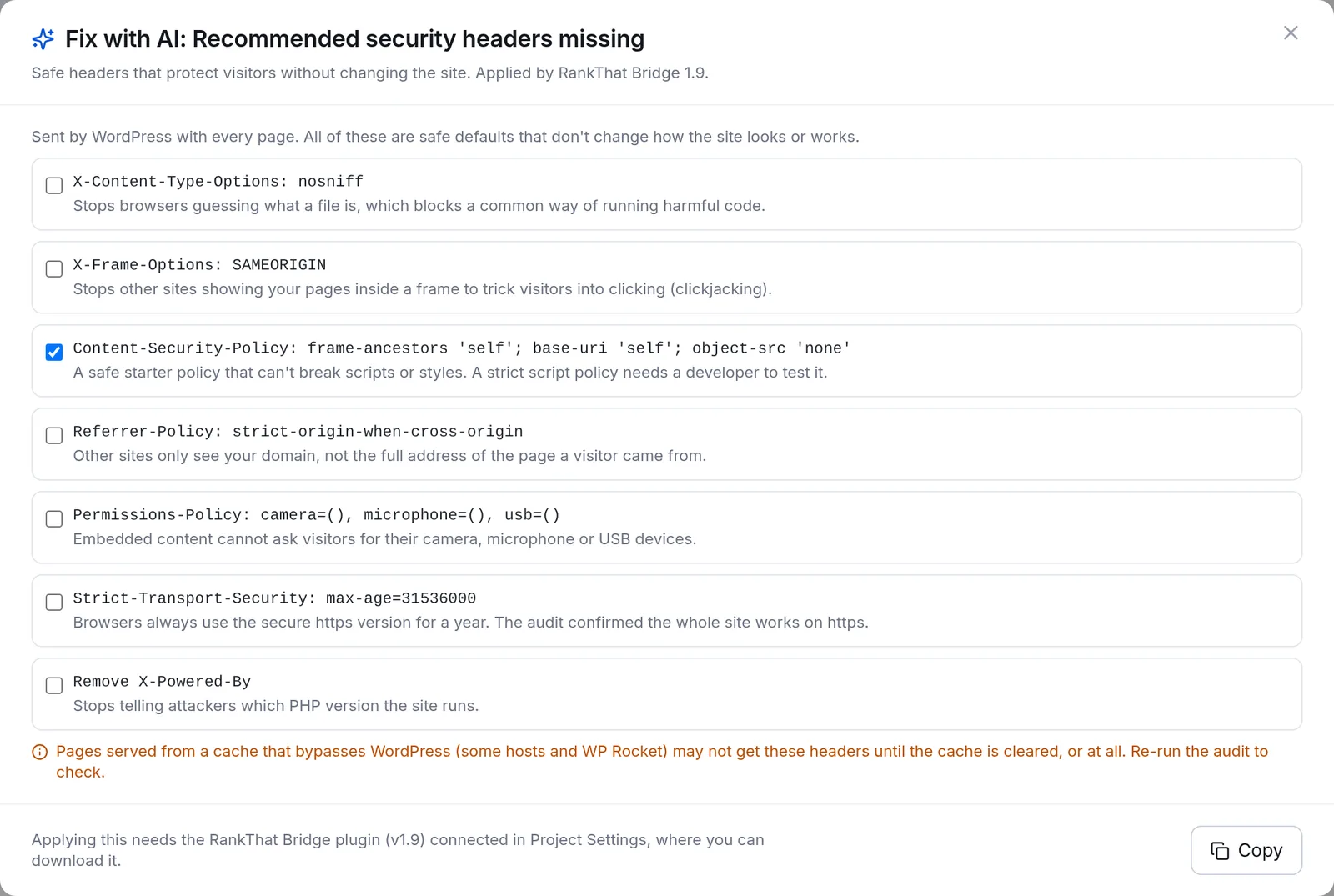 One issue opened in RankThat’s Site Audit, with the fix drafted for review before anything changes on the site.
The mistakes we see most
- The same title on every service page, usually the business name. Each page needs its own.
- A homepage that tries to rank for every service. Give each main service its own page.
- Location pages that are copies with the town name swapped. Thin and repetitive; they rarely rank.
- No internal links to new pages. A page published but never linked from the menu or another page can sit unnoticed for months.
- Chasing a content score instead of the reader. Tools that count keywords measure the wrong thing.
FAQ
How long should a page be?
As long as it takes to answer the search well. A service page might need 600 words; a guide might need 2,000. Compare with what ranks, then cover the topic better, not longer.
Do meta keywords still matter?
No. Google has ignored the meta keywords tag for years. You can leave it out.
Should every page target a keyword?
Every page you want found in search should have a main topic. Pages like your privacy policy or thank-you page do not need one.
How often should I recheck on-page SEO?
When a page drops in rankings, when you change the offer or prices, and in a site-wide crawl every month or so. Titles and links break more often than people expect.